Productivity

String Utility Belt is a powerful and free online platform offering a comprehensive suite of string and text manipulation tools. It enables users to efficiently chain utilities, preview every step of their transformations, and easily export or share pipelines. This SaaS is ideal for developers, data analysts, and IT professionals needing to process text data quickly and securely, as all operations run client-side in the browser, ensuring privacy. Key Features Extensive Toolset: Access 248 utilities for encoding, decoding, hashing, formatting, and converting text (e.g., Base64, URL, JSON, JWT, SHA-256, SQL, YAML). Efficient Chaining & Preview: Build complex pipelines with real-time, step-by-step output previews. Ready-made Presets: Solve multi-step tasks like decoding SAML, converting Excel to SQL IN, fixing PDF line breaks, or unescaping JSON with pre-configured pipelines. Privacy-Focused: All processing occurs in your browser; no data is uploaded. Guides & Playgrounds: Each utility has a dedicated page with guides, examples, and an interactive playground. Cross-Platform: Available online, as Chrome/VS Code extensions, and via MCP CLI. Use Cases Developers and DevOps engineers can quickly decode SAML requests, Helm release Secrets, or JWT tokens; encode/decode URLs/Base64; format SQL; and convert between JSON and YAML. Data analysts and engineers will find it invaluable for transforming Excel columns into SQL IN clauses, converting nested JSON to CSV, cleaning PDF text, and performing text statistics or deduplication. General users can generate strong passwords, create Lorem Ipsum text, convert timestamps, or diff documents efficiently. Pricing Information String Utility Belt is completely free of charge, providing a robust suite of online string and text tools without any subscription fees or hidden costs. Full functionality is freely available without trials. User Experience and Support The platform features an intuitive UI with visual chaining and real-time output previews, making complex tasks accessible. Comprehensive documentation, including guides and worked examples for every utility, is readily available. Presets further enhance usability by offering ready-to-run solutions for common multi-step problems. Technical Details Operating entirely client-side in the browser, String Utility Belt uses JavaScript for all processing, ensuring data privacy. It leverages WebCrypto for hashing, complies with RFC 4180 for CSV parsing, and supports IANA timezones. Its availability as browser extensions and a CLI highlights its robust, integration-friendly architecture. Pros and Cons Pros: Free; privacy-centric (browser-based); extensive 248+ utilities; powerful chaining with previews; useful presets; excellent documentation; cross-platform availability. Cons: No explicit cons mentioned; potential learning curve for advanced chaining. Conclusion String Utility Belt is an indispensable, privacy-conscious online toolkit for anyone working with text and strings. Its vast array of utilities, combined with powerful chaining and practical presets, significantly streamlines complex text processing tasks. Explore String Utility Belt today to enhance your productivity and simplify your daily text-related challenges.

XtraCRM is a comprehensive all-in-one CRM and ERP platform designed to streamline business operations by connecting customer relationships, sales, finance, inventory, HR, and manufacturing in a single workspace. It empowers teams to manage everything from initial customer contact to project completion and task tracking, offering customizable workflows and automation capabilities. Target Audience: Businesses of all sizes looking for an integrated solution to manage their diverse operational needs, from small teams to growing enterprises. Key Features: Integrated Teamwork: Track tasks, projects, Scrum, and work reports in one place. Comprehensive CRM: Manage customers, contacts, leads, and opportunities with detailed communication history and activity logs. Financial Management: Oversee invoices, collections, expenses, and bank accounts with transaction history. Manufacturing Control: Connect BOMs, production orders, consumption, quality, and maintenance. XtraCRM AI: Chat with AI for diverse analyses, allowing continuous work while insights are generated. WhatsApp Integration: Connect WhatsApp Business for shared inbox management and conversation assignment to customers/contacts. Use Cases: XtraCRM is ideal for businesses seeking to unify their disparate systems. For sales teams, it provides a visible pipeline, customer history, and appointment scheduling, eliminating the need to search for information across multiple tools. Financial departments can gain a clear overview of cash flow, receivables, and payments through integrated invoice and account tracking. Manufacturing companies can benefit from end-to-end production tracking, from bill of materials to quality control, ensuring efficiency and traceability. Additionally, the platform supports professional services by linking client projects, time tracking, appointments, and billing, making it a versatile solution for various industry needs. Pricing Information: XtraCRM offers a flexible pricing model including a "Free" plan for 1 user and 2GB storage. Paid plans start from $16.58/month (billed annually) for the "Starter" plan, offering 5 users and 10GB storage, with a 7-day free trial available for all paid plans. Additional users and storage can be added as needed. User Experience and Support: XtraCRM emphasizes adaptability, allowing businesses to configure the infrastructure to their specific workflows with custom fields, processes, and Kanban boards. The platform aims for an intuitive user experience, as indicated by its "real product screen" demos. Support is provided via email for all plans, with 24/7 support and a dedicated contact person for Enterprise packages. Technical Details: The platform supports integrations via REST-API, Webhook, and over 70 ready-made integrations. It also allows connection to existing AI accounts like OpenAI/ChatGPT, Anthropic/Claude, Google Gemini, or OpenRouter, indicating a modern, API-driven architecture. Pros: All-in-one CRM and ERP solution. Highly customizable with user-defined fields and workflows. Integrated AI for advanced analytics. Comprehensive module coverage for various business functions. Flexible pricing with a free tier and free trials. Cons: Potential learning curve due to extensive features. AI features consume separately purchased credits. Module access depends on package and user rights. Conclusion: XtraCRM offers a powerful and adaptable platform to centralize and optimize business operations across multiple departments. Its integrated approach, AI capabilities, and customization options make it a strong contender for businesses seeking efficiency and a unified view of their data. Explore XtraCRM today to streamline your workflows and connect your teams.

DisplaySwitcher is a desktop application for Linux, macOS, and Windows that combines monitor input switching with text and file transfers between computers.Switch a monitor’s video input with a software button instead of reaching for its physical controls. If one computer cannot switch the monitor directly, another connected computer capable of switching it can perform the action.Transfer text and files using cut-and-paste, drag-and-drop, or file browsing. No network or firewall configuration necessary.1 month free. No credit card required. Cancel at anytime without contacting us.Your text and files are protected by encrypted connections and transferred only between computers signed in to your account.Automatically selects an available DisplaySwitcher server based on response time and capacity, so your transfers are as fast as possible.
LaunchStall is a dynamic weekly launch platform specifically designed for makers to introduce and gain visibility for their new products. It provides a curated space where innovations, particularly in SaaS, AI, and productivity, can be discovered by a community eager for new tools and solutions. The platform primarily targets independent makers, startups, and small businesses aiming to generate initial buzz, gather early user feedback, and drive adoption for their latest creations. Key Features Weekly Launch Slots: Offers 10 exclusive slots each week for new product launches, ensuring focused attention. Permanent Product Pages: Every launched product receives a dedicated, permanent page for ongoing visibility and SEO benefits. Community Leaderboard: Products are featured on "Featured," "Top," "Trending," and "Newest" lists, driven by community engagement. Newsletter Exposure: Launched products, weekly bests, and maker stories are highlighted in a weekly email edition. Daily Streak System: Encourages user engagement through upvoting and commenting, unlocking premium features and credits for launches/ads. Quality Backlinks: Provides valuable backlinks to enhance the SEO of launched products. Use Cases Makers can effectively utilize LaunchStall to debut a wide array of products, from innovative SaaS applications and AI-powered tools to educational games and productivity enhancers. It serves as an ideal launchpad for generating initial traction, collecting valuable user insights, and fostering a community around new offerings. For instance, a developer launching an AI-driven productivity app like "Novastart" can leverage LaunchStall to showcase its unique features to a tech-savvy audience, securing early adopters and constructive feedback. Furthermore, the platform is beneficial for products seeking to stand out in crowded markets. A creator of an SEO-focused game, such as "Tower Top," can use LaunchStall to highlight its innovative approach to learning and engagement, attracting users who are actively looking for novel solutions or entertainment. It addresses the critical challenge of discoverability for new products by providing a structured and community-supported launch environment. Pricing Information Launching a product on LaunchStall is a paid service, starting from $29 per week for a slot. The platform also offers sponsored placements for increased visibility. Users can engage with the community through a "Daily streak" system, earning credits that can be redeemed for future launches and advertising, providing a pathway for active members to reduce costs. User Experience and Support LaunchStall boasts a clean, intuitive user interface that makes navigation straightforward, with clear sections for "Launches," "Trending," "Categories," and "Makers." The platform fosters a vibrant community through features like upvoting and commenting, encouraging interaction and feedback. Comprehensive guidelines are available to assist makers with their launches, and a "Contact" link provides direct access to support. Technical Details While specific programming languages or frameworks are not explicitly detailed, LaunchStall operates as a robust web-based platform. It is designed to handle weekly product launches, community interactions, and content delivery, suggesting the use of modern web development technologies to ensure a smooth and responsive user experience. Pros and Cons Pros: Dedicated platform for new product launches, enhancing discoverability. Strong community engagement features (upvotes, daily streaks, comments). Provides valuable SEO benefits through permanent product pages and backlinks. Offers exposure via a weekly newsletter to a targeted audience. Clear pricing and advertising options for makers. Cons: Limited number of launch slots per week, making it competitive. The paid launch model might be a barrier for some bootstrapped projects. Success heavily relies on community upvotes and active engagement. Detailed analytics for launched products are not explicitly elaborated upon in the provided content. Conclusion LaunchStall serves as an invaluable resource for makers seeking to launch and promote their new products effectively. By combining structured weekly launches with a supportive, engaged community and strong discoverability features, it offers a powerful platform to gain initial traction and build momentum. Explore LaunchStall today to give your next product the launch it deserves and connect with an audience eager for innovation.

Threads Video Downloader: Effortless Media Saving Threads Video Downloader is a free, web-based utility designed to simplify the process of saving videos, single photos, and carousels from Threads posts. It allows users to quickly download content as crisp MP4, JPG, or PNG files directly to their device without the need for any software installation, account registration, or hidden costs. This tool is ideal for anyone looking to archive Threads content for personal use, content creators needing to reference posts, or users who simply want to keep a copy of their favorite media from the platform. Key Features ⚡ Quick and Free: No sign-up, no payment, just paste and download. 🎬 Original Quality: Downloads media at its original posted resolution. 🧼 Clean Files: Content arrives without added logos or overlays. 🌐 Browser Only: Works across all devices (phones, tablets, computers) and browsers without an app. 🖼️ Photos and Carousels: Supports multi-image posts and individual video clips within carousels. ♾️ No Daily Cap: Download as many public posts as needed for normal personal use. Use Cases The Threads Video Downloader is perfect for users who want to save memorable moments, educational content, or inspiring visuals shared on Threads. Instead of relying on cumbersome screen recording, which often results in lower quality and shaky footage, this tool provides the actual media file directly, preserving its original clarity and sound. It's particularly useful for archiving personal posts, saving content for offline viewing, or collecting visual references. Content creators can also benefit by easily downloading their own or publicly shared content (with permission and credit) for repurposing or analysis, ensuring they always have access to high-quality assets. Pricing Information Threads Video Downloader is completely free to use. There are no fees, no sign-up requirements, and no hidden upgrade options. Users can access all features without any cost. User Experience and Support The platform boasts a straightforward, user-friendly interface. The download process involves just four simple steps: copy the Threads post link, paste it into the provided box, click download, and save the file. It's designed to be intuitive and efficient, working seamlessly across popular browsers like Chrome, Safari, Firefox, and Edge on both desktop and mobile devices. While direct support options aren't explicitly detailed, the clear instructions and FAQ section address common queries, ensuring a smooth user experience. Technical Details Operating entirely within the browser, this web-based tool processes Threads post URLs to extract and deliver media files. It supports various media formats, saving videos as MP4, and photos as JPG or PNG. The service is designed to be lightweight and accessible, requiring no client-side software installation, making it compatible with virtually any internet-connected device. Pros and Cons Pros: Completely free with no hidden costs or subscriptions. No software installation or account registration required. Downloads media in original quality without watermarks. Supports videos, single photos, and multi-item carousels. Works on any device and browser (web, mobile, desktop). Unlimited downloads for personal use. Cons: Only works with public Threads posts; private content cannot be accessed. Download failures can occur due to slow source servers or deleted posts. Legality of reposting downloaded content varies by country and requires creator permission. Conclusion Threads Video Downloader offers an incredibly convenient and free solution for anyone looking to save media from Threads posts. Its ease of use, commitment to original quality, and broad device compatibility make it an indispensable tool for personal archiving and content management. Explore the simplicity and efficiency of downloading your favorite Threads content today!

Reel Download is a free, browser-based SaaS solution designed to simplify the process of downloading Instagram Reels. It allows users to quickly and easily save public Instagram Reel videos directly to their device without the need for any application installation, user login, or watermarks. This tool is ideal for anyone looking to keep a personal copy of entertaining, educational, or inspirational Reels for offline viewing or future reference, provided they have the appropriate permissions.Key FeaturesBrowser-based operation: No app installation required.Simple URL workflow: Copy, paste, and download in three easy steps.Mobile-friendly interface: Works seamlessly across phones, tablets, and desktops.Direct download flow: Initiates file download automatically without an embedded video player.No login or registration needed.Downloads Reels without adding watermarks.Use CasesReel Download proves invaluable for various scenarios where users wish to retain Instagram Reel content. For instance, educators or students can save tutorials and educational clips for offline study. Home cooks might download recipe Reels for easy access in the kitchen, while travelers could save inspirational destination videos for planning. It's also perfect for individuals who want to keep a personal archive of their favorite entertainment or informational Reels, ensuring they can revisit content even without an internet connection. The service emphasizes responsible use, encouraging users to respect copyright and creator permissions.The platform addresses the common problem of wanting to save ephemeral social media content for long-term personal reference. By providing a straightforward, browser-based solution, it eliminates the friction associated with installing dedicated apps or navigating complex download processes, making content preservation accessible to a wider audience.Pricing InformationReel Download is completely free to use. There are no hidden costs, subscriptions, or premium features, making it an accessible tool for all users.User Experience and SupportThe user interface is designed for maximum simplicity and ease of use. The entire process involves just three steps: copying the Reel link from Instagram, pasting it into the input field on the Reel Download website, and clicking the 'Download' button. The interface is optimized for all devices, including Android, iPhone, Windows PC, and Mac, ensuring a consistent experience. While direct customer support isn't explicitly detailed, the website includes a comprehensive FAQ and troubleshooting section that addresses common issues like invalid URLs, unavailable media, or browser download blocks, guiding users through potential problems effectively.Technical DetailsReel Download operates as a browser-based service, leveraging a media processing service to retrieve available media information from public Instagram Reel URLs. It processes the API response to provide direct access to video media URLs and, where available, separate audio streams. The core functionality is built around a simple web workflow, making it accessible from any modern web browser without requiring specific client-side installations.Pros and ConsPros:Completely free with no hidden charges.No app installation or login required.Downloads Reels without watermarks.User-friendly, three-step process.Compatible with all major devices and browsers.Supports both video and separate audio streams (when available).Cons:Only supports publicly accessible Instagram Reels.Does not transfer content ownership or copyright.Browser security settings may occasionally interfere with direct downloads.Some content may be unavailable due to Instagram's restrictions.ConclusionReel Download offers a highly efficient, free, and user-friendly solution for saving public Instagram Reels. Its browser-based nature and straightforward workflow make it an excellent choice for anyone seeking to download content responsibly for personal use. Explore Reel Download today to effortlessly save your favorite Instagram Reels.

TikTok Video Downloader: Your Free Online Solution for Saving TikToksThe TikTok Video Downloader is a user-friendly online SaaS tool designed to help users effortlessly save publicly available TikTok videos directly to their devices. It eliminates the need for any TikTok account login, passwords, or personal details, offering a secure and straightforward way to download your favorite clips without watermarks.This tool is ideal for anyone looking to archive public TikTok content, whether for personal enjoyment, content creation (with appropriate permissions), or sharing. It caters to a broad audience, from casual users to content creators who need to save videos for various purposes.Key Features:No TikTok Login Required: Download videos without entering any account credentials.Browser-Based: Access and use the downloader directly from any web browser; no app installation needed.Public TikTok Videos Only: Specifically designed to work with publicly accessible TikTok video URLs.Direct Video Download: Processes the link and provides the video as a downloadable file.Completely Free: Enjoy all features without any cost.No Watermark: Download videos free from TikTok's native watermark.Use Cases:The TikTok Video Downloader is perfect for various scenarios. Users can easily save memorable dance routines, educational tutorials, funny skits, or inspiring content from TikTok. For content creators, it offers a convenient way to download their own or other creators' public videos (with permission) for remixing, compilation, or backup purposes, ensuring they have access to content even if it's removed from the platform.Whether you're on an iPhone, iPad, Android device, PC, or Mac, the process remains consistently simple: copy the TikTok video link, paste it into the downloader's input box, and click download. This cross-platform compatibility ensures that you can save videos from virtually any device with a web browser.Pricing Information:This TikTok Video Downloader is entirely free to use online. There are no hidden costs, subscriptions, or premium tiers, making it an accessible tool for everyone.User Experience and Support:The user interface is designed for maximum simplicity, featuring a clear three-step guide: Copy Link, Paste URL, and Download Video. This intuitive design ensures that even first-time users can quickly navigate and utilize the service. While no dedicated support channels are mentioned, the website provides a comprehensive troubleshooting section addressing common issues like invalid URLs, processing delays, and download failures, guiding users through potential problems.Technical Details:The service operates as a browser-based application, meaning it runs directly within your web browser without requiring any specific software or plugins. It processes TikTok video URLs to extract and provide the video file, leveraging web technologies to facilitate the download process across different operating systems and devices.Pros:Completely free to use.No account login or personal details required.No app installation needed; works in any web browser.Removes TikTok watermarks from downloaded videos.Simple, three-step download process.Compatible with mobile, tablet, and desktop devices.Cons:Only works with publicly available TikTok videos.Cannot download private, restricted, or removed content.Processing times may vary depending on server load and video size.Not designed for permanent video storage; temporary download links may expire.Relies on TikTok's content delivery, so changes on TikTok's end could affect functionality.Conclusion:The TikTok Video Downloader offers an invaluable, free, and straightforward solution for anyone looking to save public TikTok videos without hassle or watermarks. Its browser-based nature and ease of use make it a highly accessible tool across all devices. Explore this convenient downloader today to effortlessly build your collection of favorite TikTok moments.

Spotidown is a free online Spotify downloader that enables users to effortlessly download Spotify songs, playlists, albums, and artist discographies. It provides a convenient solution for music enthusiasts to convert Spotify content to MP3 format without requiring any software installation or Spotify account login. Key Features: Track Downloader: Easily save individual Spotify songs in high quality. Playlist Downloader: Download entire Spotify playlists with a single click. Album Downloader: Get full Spotify albums directly to your device. Artist Downloader: Download all songs from a specific artist's profile. Built-in Search: Find and download songs by title, artist, album, or lyrics without needing Spotify URLs. High-Quality Audio: Downloads often available at 320 kbps for superior sound. Use Cases: Spotidown is ideal for anyone looking to enjoy their favorite Spotify music offline, without the need for a premium subscription or constant internet access. It's perfect for users who want to create personal music libraries, listen to specific tracks or albums on devices not connected to Spotify, or simply have a backup of their preferred audio content. For instance, a student can download study playlists to avoid distractions from online streaming, or a traveler can save albums for offline listening during flights or in areas with limited connectivity. It also serves as a quick solution for accessing music for personal projects or events where direct Spotify streaming might be inconvenient. Pricing Information: Spotidown is a completely free online tool. There are no subscription fees, premium tiers, or hidden charges for downloading Spotify content. Users can access all features and download unlimited songs without any cost. User Experience and Support: Spotidown boasts a clean, minimalistic, and user-friendly interface designed for simplicity and speed. The navigation is intuitive, allowing even first-time users to quickly understand and utilize its features without a tutorial. The website prioritizes a smooth interaction, with fast loading times and minimal distractions. While specific documentation or dedicated support channels are not explicitly mentioned, the straightforward nature of the tool means most users will find it easy to operate independently. Technical Details: Spotidown operates as an online-based music downloading tool that functions directly in your browser. It processes Spotify links to extract audio and generate downloadable MP3 files. The platform utilizes optimized servers to ensure fast downloading speeds and aims to preserve the original sound quality during the conversion process. It does not require any software installation or browser extensions. Pros and Cons: Pros: Completely free to use with no limits. Supports downloading tracks, playlists, albums, and artists. Features a unique built-in search functionality. Provides high-quality audio downloads (up to 320 kbps). User-friendly interface and simple navigation. No Spotify account login or software installation required. Fast downloading speeds. Cons: Relies on third-party services, which might have varying reliability. Legal implications for downloading copyrighted material for commercial use. No explicit mention of customer support channels. Availability of specific tracks might depend on the source. Conclusion: Spotidown offers an incredibly accessible and efficient solution for anyone looking to download Spotify music for personal use. Its combination of free access, comprehensive download options, and a user-friendly design makes it a standout tool. Explore Spotidown today to effortlessly build your offline music library.

Apps and files on an infinite canvas where people and AI agents work together.
TarotGuide offers free online tarot readings powered by advanced AI, providing instant interpretations for love, career, and life guidance. It combines centuries of tarot wisdom with modern technology to deliver personalized insights for seekers of clarity. The platform is designed for anyone from beginners to experienced tarot enthusiasts looking for accessible and accurate readings. Key Features: AI-Powered Interpretations: Advanced AI delivers insightful, personalized readings tailored to your questions. Comprehensive Card Library: Access detailed meanings for all 78 Rider-Waite tarot cards, including upright and reversed interpretations. Multiple Spread Options: Choose from various spreads like One Card, Three Card, Love Tarot, Celtic Cross, and Yes or No readings. Specialized AI Readers: Select between Moonlight Yao for emotional insights and Stella Rivers for career and major life decisions. Reading History: Track past readings to observe patterns, growth, and recurring themes. Beginner-Friendly: Clear explanations and guided readings make tarot accessible for newcomers. Use Cases: TarotGuide is ideal for individuals seeking quick daily guidance or deeper insights into specific life areas. For instance, someone facing a career dilemma can consult Stella Rivers with a Career Reading spread to gain clarity on potential paths and strategic advice. Similarly, those navigating relationship challenges can utilize Moonlight Yao and a Love Tarot Reading to understand partner dynamics and emotional growth. The platform also serves as an excellent learning tool for tarot enthusiasts. Users can explore individual card meanings, understand different spreads, and learn how to interpret the cards in various contexts. Its 24/7 availability ensures that guidance is always at hand, whether for a morning reflection or a late-night contemplation. Pricing Information: TarotGuide operates on a freemium model. New users receive 20 free credits upon signup (valid for 30 days) to experience full-featured readings. Beyond the free credits, users can purchase additional credits or subscribe to monthly plans: Lite ($9.90/month for 100 credits), Pro ($19.90/month for 250 credits), and Max ($29.90/month for 500 credits). Daily Tarot and One Card readings are free. User Experience and Support: TarotGuide boasts a user-friendly interface with intuitive navigation, making it easy to select cards, choose spreads, and receive interpretations. The platform is mobile-friendly, ensuring a seamless experience across devices. Support is available via email for Lite, Pro, and Max subscribers, with online support for Pro and Max users, and priority support for Max subscribers. The site also provides FAQs and a blog for additional guidance. Technical Details: The platform leverages advanced AI technology to power its interpretations, combining traditional Rider-Waite-Smith symbolism with modern algorithmic analysis for personalized relevance. The website is designed to be responsive, ensuring optimal performance on various devices. Pros and Cons: Pros: Accessible and instant AI-powered readings. Comprehensive library of card meanings. Multiple spread options for diverse questions. Specialized AI readers for focused guidance. Freemium model with generous free credits. Cons: Credit-based system can limit extensive free use. AI interpretations may lack the nuanced human touch for some users. Reliance on internet connection for access. Conclusion: TarotGuide offers a unique and accessible way to engage with tarot, blending ancient wisdom with cutting-edge AI. Its comprehensive features, user-friendly design, and flexible pricing make it an excellent resource for anyone seeking clarity and guidance in their life. Explore TarotGuide today to unlock personalized insights and embark on your tarot journey.

A free, step by step launch checklist for indie makers shipping software. Pick your launch type (SaaS, mobile app, AI tool, extension, open source) and get only the items that apply, each with the reason and a skip note. No account, no ads.
Calculora is a fast, multi-lingual online utility platform offering precise, free calculators for everyday, financial, math, and health metrics across 26 languages — built with a focus on client-side speed and clean UX.

The volume of new digital tools launching today is staggering, but finding software that is genuinely reliable has never been more difficult. Unmoderated listing sites and generic search engines are cluttered with abandoned demos, broken links, and low-effort spam. Professionals and growing teams often spend hours testing unvetted applications that fail to deliver on basic promises. ToolVerified was engineered to solve this problem by establishing a clean, trusted, and community-backed home for modern software discovery.At its core, ToolVerified is a curated directory and launchpad highlighting newly released SaaS applications, AI breakthroughs, and developer utilities. What truly sets our platform apart is a commitment to direct human oversight. Rather than relying on bots or automated scraping scripts that approve submissions blindly, every application submitted to ToolVerified is individually opened, tested, and inspected by a real human curator. We confirm that the product is fully active, that its primary features work as advertised, and that it provides practical, real-world utility to users before it ever appears in our public catalog.Once approved, listings are organized into intuitive, high-intent categories including Productivity, Artificial Intelligence, Developer Tools, Design, and Finance. This granular structure enables users to quickly locate targeted solutions to streamline their workflows without sifting through digital clutter.Beyond manual review, ToolVerified thrives on active community engagement. Registered members explore newly listed tools, test them firsthand, and cast upvotes for the applications that truly impress them. This peer-driven feedback powers our dynamic daily and weekly trending leaderboards, surfacing top software based on authentic user merit.For software creators and startup founders, ToolVerified offers an essential launchpad to gain early adopter traction and valuable visibility. For professionals and teams, it serves as a dependable daily resource to discover vetted, high-performing tools built to elevate their work.

Introduction to YouTube Music Premium APK YouTube Music Premium APK is a modified version of the official YouTube Music application, designed to provide users with all premium features without the need for a paid subscription. It aims to eliminate common frustrations found in the free version, such as intrusive ads, lack of background playback, and inability to download music for offline listening. This SAAS solution targets music enthusiasts who desire an uninterrupted, high-quality audio experience on their mobile devices. Key Features Ad-Free Music: Enjoy your favorite tracks without any interruptions from advertisements. Background Playback: Music continues to play even when the app is minimized or the screen is off. Offline Downloads: Download any song or video to listen to or watch without an internet connection. High-Quality Audio: Access superior sound quality (320 kbps) compared to the standard free version. Unlimited Skips: Skip as many songs as you like without any restrictions. Smart Downloads: Automatically downloads songs based on your listening habits when connected to Wi-Fi. Use Cases YouTube Music Premium APK is ideal for individuals who frequently listen to music on their mobile devices and are looking for a seamless, ad-free experience. It's particularly beneficial for commuters, gym-goers, or anyone who wants to enjoy music while performing other tasks on their phone without interruptions. For instance, a user can create a personalized playlist and listen to it during a workout, knowing that the music won't stop if they switch to another app or lock their screen. Another common scenario is for users who travel frequently or have unreliable internet access. With the offline download feature, they can save their favorite music and enjoy it anywhere, anytime, without worrying about data consumption or connectivity issues. This also extends to those who want to save mobile data while still having access to a vast music library. Pricing Information YouTube Music Premium APK is offered completely free of charge. There are no subscription fees, hidden costs, or in-app purchases required to access its premium features. Users can simply download and install the APK to unlock all functionalities. User Experience and Support The user interface of YouTube Music Premium APK largely mirrors the official YouTube Music app, ensuring a familiar and intuitive experience for existing users. The app is designed for ease of use, with straightforward navigation for finding music, creating playlists, and managing downloads. While direct official support is not available for modified applications, the community around such APKs often provides troubleshooting tips and guidance. The provided content also includes a troubleshooting section for common issues like app not working or smart downloads purging tracks. Technical Details The YouTube Music Premium APK is a modified Android application package. It is compatible with Android 8.0 and up. The core functionality is built upon the existing YouTube Music framework, with modifications to bypass premium restrictions and enhance user experience. It also integrates MicroG for necessary Google services emulation without requiring official Google Play Services. Pros and Cons Pros: Completely ad-free music and video playback. Uninterrupted background playback. Unlimited offline downloads for audio and video. Access to high-quality audio (320 kbps). No subscription cost, offering significant savings. Smart download feature for automated music curation. Cons: Being a modified APK, it is not officially supported by Google. Potential security risks associated with third-party downloads (though the provided source aims to be reliable). Updates might not be as frequent or automatic as the official app. Casting or Android TV app experience might not be as polished as official alternatives. No direct customer support from the official developers. Conclusion YouTube Music Premium APK offers an exceptional value proposition for music lovers seeking a premium listening experience without the recurring costs. By eliminating ads, enabling background play, and providing offline access, it addresses the major pain points of the free version. For those looking to enhance their mobile music consumption, exploring this free alternative is highly recommended.

Geometry Dash MOD APK offers an enhanced version of the popular rhythm-based platformer, unlocking all icons, colors, secret levels, and providing infinite orbs and diamonds. This modified version allows players to experience the full game without the grind of unlocking features or in-app purchases, making it ideal for both new players and seasoned enthusiasts looking for immediate access to all content.Key FeaturesComplete Levels Unbolt: All levels are unlocked from the start, saving time and allowing immediate access to advanced stages.Infinite Orbs and Diamonds: Gain unlimited in-game currency to customize icons, unlock features, and progress without limitations.God Mode: Navigate obstacles and hurdles effortlessly, making gameplay more experiential and ensuring continuous success.Unlimited Unlock Features: Access all premium features, icons, and customization options without spending real money.Icon Customization: Create unique icons with thousands of colors and skins, along with new decorations and objects.4K Graphic Card Support: Enjoy smoother and more responsive gameplay with support for high-resolution graphics cards.Use CasesGeometry Dash MOD APK is perfect for players who want to bypass the initial grind and immediately dive into the full game experience. It's particularly beneficial for those who wish to experiment with all available icons and customization options without investing hours into unlocking them. Content creators can also leverage the unlocked features to showcase various game elements and create diverse content without restrictions. This MOD APK also serves as an excellent tool for practicing difficult levels. With features like God Mode and practice checkpoints, players can refine their skills and master challenging sections without the frustration of constant restarts. It allows for a more relaxed and exploratory approach to the game, fostering creativity in level design and gameplay strategies.Pricing InformationGeometry Dash MOD APK is available for free. It offers a complete solution with all features unlocked, eliminating the need for in-app purchases or subscriptions.User Experience and SupportThe MOD APK provides a seamless user experience with a full Mod Menu for easy access to all unlocked features. The game runs smoothly on various devices, including low-end Android phones, and supports 4K graphics for an enhanced visual experience. While direct support for the MOD APK is community driven, the original game's community on Discord and Reddit offers extensive resources, tutorials, and level-building guides.Technical DetailsThis modified version is an Android application package (APK) designed for Android devices. It is optimized for stability and performance, with recent updates focusing on engine stability and control refinements. The game supports various hardware configurations, with recommended specifications including Android 10.0+, Octa Core 2.0 GHz+ processor, and 4 GB RAM for optimal performance.Pros & ConsPros:Ad-free gameplay and no stream lag.Instant access to all stages and premium features.Infinite in-game currency for customization.Highly optimized for smooth performance on various devices.Access to community tutorials and level-building guides.Cons:Levels require extreme precision, challenging for beginners.Takes up more internal storage due to high-quality assets.Advanced trigger settings can be complex for new players.Manual updates are required for new versions.High-definition music tracks may consume additional RAM.Conclusion Geometry Dash MOD APK offers an unparalleled gaming experience by providing immediate access to all content and features of the popular rhythm-based platformer. Its comprehensive unlocks and performance optimizations make it a must-have for anyone looking to fully explore the game's potential without limitations. Download today to unlock your creativity and master every level with ease!
InterviewAce: Your AI Co-Pilot for Every InterviewInterviewAce is an innovative AI-powered assistant designed to provide real-time answer suggestions during live job interviews. It acts as an invisible co-pilot, helping job seekers articulate their experience confidently and effectively, grounded in their actual background rather than generic scripts.This SaaS is ideal for job seekers at all levels who want to reduce interview anxiety, improve their performance, and ensure they deliver well-structured, relevant answers.Key Features:Invisible Real-time AI Suggestions: Provides contextual talking points during live interviews without the interviewer's detection.Personalized Content: Suggestions are generated from your uploaded resume and the specific job description.Broad Compatibility: Works seamlessly with Zoom, Google Meet, Microsoft Teams, and other video-call platforms.Mock Interview Mode: Practice with an AI interviewer, receive role-specific questions, instant feedback, and a full performance report.Multilingual Support: Supports 15+ languages for transcription, AI suggestions, and session memory.Cost-Effective: Significantly more affordable than competing AI interview tools.Use Cases:InterviewAce is invaluable for anyone facing high-stakes interviews. It helps candidates overcome the common problem of 'blanking' under pressure by providing quick, relevant prompts based on their own experience. For instance, when asked about a 'high-stakes decision with incomplete data,' the AI can surface key points from your resume, like leading a pricing redesign with specific results, helping you structure a compelling STAR-framework answer.It's also highly beneficial for practicing before the real interview. The Mock Interview Mode allows users to refine their delivery, identify weaknesses in their answer structure, and build confidence. This is particularly useful for roles requiring specific behavioral responses or for individuals interviewing in non-native languages, as the platform supports a wide array of global languages.Pricing Information:InterviewAce operates on a freemium model. Users can start with a free plan offering 30 trial minutes without requiring a credit card. For extended use, Pro plans are available: Weekly Pro at $9 per week (100 minutes) or the Best Value Pro — Monthly at $19 per month (400 minutes), offering substantial savings compared to competitors.User Experience and Support:The platform is designed for ease of use, running directly in your web browser without any downloads or browser extensions. Users simply open InterviewAce on a second screen or window alongside their video call. The interface provides a live transcript and AI suggestions that are easy to glance at and absorb. Support is available via email at hello@interviewace.online, and the Mock Interview Mode provides instant, actionable feedback.Technical Details:InterviewAce functions as a web-based application, leveraging real-time transcription and AI processing to generate contextual suggestions. It listens through your device's audio, ensuring compatibility with any video-call platform without requiring special integrations or software installations.Pros and Cons:Pros: Completely invisible to interviewers, highly personalized suggestions, wide platform compatibility, effective mock interview practice, extensive language support, budget-friendly.Cons: Requires a second screen or window for optimal use, effectiveness depends on the quality of uploaded resume/JD, potential for users to sound less natural if over-reliant on suggestions.Conclusion:InterviewAce stands out as a powerful, affordable AI co-pilot that transforms interview preparation and performance. By providing real-time, personalized guidance, it empowers candidates to present their best selves, turning interview anxiety into confidence. Start your journey to your next offer by trying InterviewAce for free today!

Turbo Agenda is an innovative SaaS solution designed to streamline and enhance your meeting management. It empowers users to effortlessly create clear and structured agendas, ensuring efficient timekeeping and engaging discussions. Ideal for any event with multiple agenda items where precise time adherence is crucial, Turbo Agenda transforms chaotic meetings into productive sessions. Key Features: Integrated Countdown Timer: Automatically tracks and displays remaining speaking time, making time management effortless. Agenda Templates: Navigate through meeting points with intuitive buttons, simplifying agenda control. Acoustic & Visual Signals: Clear audio and visual cues announce the start and end of agenda items, ensuring adherence to allocated times without constant manual intervention. Instant Start: Begin using the tool immediately without any registration, perfect for spontaneous meetings. Free Account Benefits: Register for a free account to permanently save agendas, manage contacts, and invite speakers via email. Speaker Invitation: Easily invite presenters to specific agenda points and receive feedback upon acceptance. Use Cases: Turbo Agenda is perfectly suited for a wide range of professional and organizational settings. For Business Meetings, it helps control presentations, organize stand-ups, and moderate discussions, ensuring every topic gets its due time. In Conferences & Events, it visualizes agenda points, plans break times, and schedules speaker slots, keeping large gatherings on track and engaging for all participants. Beyond corporate use, it's invaluable for Club Meetings, facilitating regular voting processes and integrating pre-registered topics seamlessly. Whether you're managing a small team huddle or a large-scale conference, Turbo Agenda ensures you maintain a relaxed overview of your schedule, eliminating the need to constantly monitor the clock yourself. Pricing Information: Currently, Turbo Agenda is completely free to use, including all features available with a registered account and saved agendas. This freemium model allows users to experience the full benefits of the platform without any cost, encouraging feedback for continuous development. User Experience and Support: The platform boasts an intuitive and user-friendly interface, allowing for the creation of agendas "in no time" and making navigation "easy and practical." For unregistered users, agendas are stored locally in the browser, offering quick access for impromptu sessions. The developers actively seek user feedback to continuously improve the tool and introduce new functionalities, promising a better experience over time. Technical Details: While specific programming languages are not disclosed, Turbo Agenda operates as a web-based application. For immediate use without registration, agendas are stored client-side within your browser, highlighting a focus on accessibility and quick deployment. Future updates will enable cloud-based storage and advanced features for registered users. Pros: Automated timekeeping with visual and acoustic alerts. No registration required for basic, immediate use. Free to use, even with advanced features and account. Easy agenda creation and navigation. Supports various meeting types (business, events, clubs). Ability to save agendas and invite speakers with a free account. Cons: Unregistered agendas are only stored locally in the browser. Some advanced features (like permanent cloud storage) require a free account. Specific future features are still under development. No explicit mention of integration with other calendar/meeting tools. Conclusion: Turbo Agenda offers a powerful yet simple solution for anyone looking to conduct more organized and time-efficient meetings. Its unique blend of automated timekeeping, clear signals, and user-friendly design makes it an indispensable tool for modern communication. Start using Turbo Agenda today to transform your meetings and keep everyone engaged and on schedule!
Make Better Decisions with Clarity.Decidit is a powerful online tool designed to simplify complex decision-making processes. It enables users to evaluate options based on personalized, weighted criteria, reducing doubt and fostering confidence in choices. It's ideal for individuals and teams facing significant personal or professional decisions, from career choices to major purchases.Key Features:Weighted Decision Matrix: Evaluate options against criteria with customizable importance.Fine-grained Slider Ratings: Rate soft criteria on a continuous scale, not just black and white.No Account, No Costs, No Risk: Free to use directly in the browser without registration.Clear Overview & Calculated Scores: Instantly see which option scores highest based on your inputs.Optional Saving & Sharing: Save decisions and share public links or social media cards.Templates for Common Decisions: Pre-built matrices for various scenarios like job offers, university choices, or product comparisons.Use Cases:Decidit is highly versatile, applicable to a wide range of personal and professional dilemmas. For individuals, it can help answer questions like "Which job offer should I accept?", "Which apartment should I take?", "Should I move to a different city?", or "Which car suits my needs?". It moves beyond gut feelings, providing a structured approach to life's big choices and ensuring you gain time, energy, and satisfaction.In a professional context, Decidit can assist teams in comparing software solutions, choosing a hosting provider, or deciding between freelance and permanent employment. Its ability to incorporate both hard facts and subjective "soft" criteria makes it invaluable for decisions where qualitative factors often tip the scales, ensuring a well-rounded evaluation that other comparison sites often miss.Pricing Information:Decidit is completely free to use without requiring an account or any costs. Registration is optional and unlocks additional functionalities like saving and sharing decisions.User Experience and Support:The platform boasts a very simple and intuitive user interface, allowing users to create decision matrices without complex formulas. It provides a clear overview of options, criteria, and calculated scores. Tips are integrated directly into the interface, guiding users on best practices like focusing on important factors and avoiding redundant criteria. A comprehensive FAQ section and articles on decision-making methods are also available.Technical Details:Specific programming languages or frameworks are not explicitly mentioned. Decidit operates as a web-based application, accessible directly through your browser, providing an interactive and responsive user experience for decision calculation.Pros and Cons:Pros:Simplifies complex decisions with a structured, weighted approach.Completely free to use with no registration required for basic functionality.Allows weighting of criteria and fine-grained rating of soft factors.Provides clear, calculated scores for objective comparison.Offers templates for quick starts and common decision scenarios.Optional sharing features for collaboration and transparency.Cons:No explicit mention of advanced collaboration features beyond sharing a public link.Relies on user input for criteria and ratings, which can still be subjective if not carefully considered.No direct integration with other tools or platforms mentioned.Specific support channels beyond FAQ are not detailed.Conclusion:Decidit empowers users to make informed, confident decisions by transforming subjective choices into objective evaluations. Its user-friendly design and powerful analytical capabilities make it an essential tool for anyone seeking clarity in their decision-making process. Explore Decidit today to gain valuable insights and stand behind your choices with complete confidence.
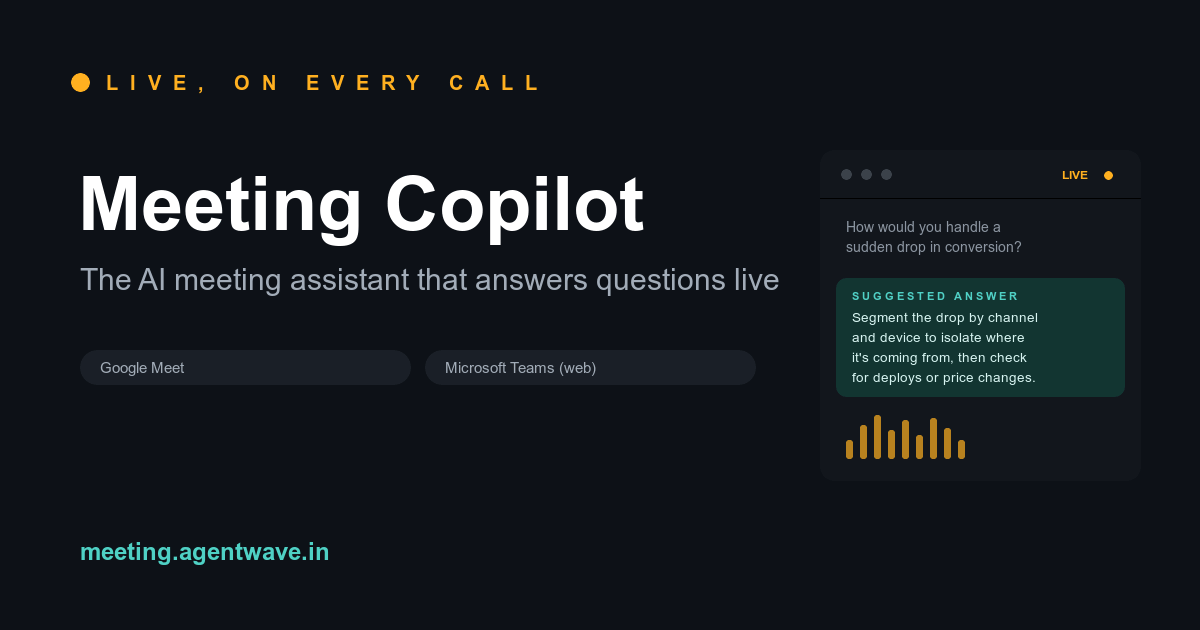
Meeting Copilot is an innovative AI meeting assistant designed to enhance productivity and information retrieval during live online calls. It seamlessly integrates with popular video conferencing platforms to provide real-time transcription and instant, context-aware answers to questions, making meetings more efficient and informed. This powerful SaaS solution is ideal for professionals, sales teams, customer support agents, and anyone who frequently participates in virtual meetings on platforms like Google Meet, Microsoft Teams (web), and Zoom (web client). It acts as a smart co-pilot, ensuring critical information is always at your fingertips. Key Features Live Transcription: Automatically transcribes your meeting conversations in real-time, providing a scrolling record of discussions. Instant AI Answers: Detects questions during the call and suggests relevant answers instantly, displayed directly on the meeting page. Seamless Integration: Works effortlessly with Google Meet, Microsoft Teams (web), and Zoom (web client) via a Chrome extension. Easy Activation: Simple "Start listening" button to activate the AI overlay during your calls. Flexible Access: Offers a free tier for initial exploration and paid passes for extended usage. Use Cases Meeting Copilot significantly improves various meeting scenarios. For sales professionals, it can instantly pull up product specifications, pricing details, or common objections, allowing them to deliver accurate information without interruption. Customer support teams can leverage it to quickly access knowledge base articles or troubleshooting steps, leading to faster resolution times and improved customer satisfaction. In internal team meetings, Meeting Copilot ensures that everyone has access to historical context, project updates, or company policies, reducing the need for manual note-taking and follow-up questions. This leads to more focused discussions and quicker decision-making, transforming how teams collaborate and retain information from their virtual interactions. Pricing Information Meeting Copilot operates on a freemium model, offering users 5 AI-assisted Q&A sessions for free without requiring a credit card. For more extensive use, paid access passes are available: the Starter Pass costs ₹799 and is valid for 30 days, providing 50 AI-assisted answers. Alternatively, a Day Pass is available for ₹3,500, also offering 50 AI-assisted answers, valid for 24 hours. This flexible pricing allows users to choose the plan that best fits their meeting frequency and needs. User Experience and Support The user experience for Meeting Copilot is designed for simplicity and efficiency. As a Chrome extension, it's easy to add and activate. Once installed, users simply open their meeting and click "Start listening" for the AI overlay to appear automatically. The interface is intuitive, displaying the live transcript and suggested answers next to it. While specific documentation or tutorial links aren't detailed, the presence of "Support" and "Contact" links suggests avenues for assistance. Technical Details Meeting Copilot functions as a browser extension, specifically for Google Chrome, integrating directly with the web-based interfaces of major video conferencing platforms. This approach allows it to listen to calls, transcribe them, and process questions in real-time within the user's browser environment, without requiring complex software installations. Pros and Cons Pros: Provides instant, context-aware answers during live calls. Enhances meeting efficiency and information recall. Works with leading video conferencing platforms (Google Meet, MS Teams, Zoom). Easy-to-use Chrome extension with automatic overlay. Offers a free tier to try out the service. Cons: Answer count is limited by passes, which might be restrictive for very frequent users. Pricing is in INR, which might require conversion for international users. No explicit mention of advanced customization or integration options beyond core platforms. Relies on web client versions of meeting platforms. Conclusion Meeting Copilot stands out as an invaluable AI meeting assistant that transforms virtual interactions by providing live transcription and intelligent, real-time answers. It's a powerful tool for anyone looking to boost productivity, ensure accuracy, and streamline information flow during online meetings. Explore Meeting Copilot today to experience a smarter way to meet and collaborate.

Find Right Plugin is a free quiz that matches you to WordPress and Jira plugins based on your actual problem and role — not a generic top 10 list. Answer a few quick questions and get a ranked shortlist across 9 WordPress categories and 66 plugins, with honest free-tool picks shown alongside paid ones, and every affiliate link disclosed.
Multifunctional Tool Pro is a highly versatile SaaS platform offering a comprehensive and completely free suite of essential digital tools. It aims to be your go-to solution for various daily tasks, enhancing productivity and simplifying complex operations.This platform is ideal for a broad audience, including students, professionals, developers, and anyone seeking quick, accessible utilities without cost. Whether you need to perform quick calculations, generate secure passwords, convert units, or leverage artificial intelligence for assistance, Multifunctional Tool Pro is designed to streamline your workflow.Key FeaturesComprehensive & Free Tool Set: Access a wide array of tools, all completely free of charge, covering diverse functionalities.100% Free Pro Version: Enjoy all the advanced capabilities of the Pro Version without any subscription fees.Multifunctional AI Assistant: Interact with an intelligent AI assistant that understands your needs and provides direct access to the right tools and functionalities within the app.Intuitive User Experience: A user-friendly interface allows for easy navigation and quick selection of desired tools, even through simple conversational prompts.Community-Driven Development: An "Unlock Premium" option is available for users who wish to support the continuous development and enhancement of the app.Use CasesMultifunctional Tool Pro excels in scenarios requiring immediate access to various utilities. For students, it can serve as a quick calculator or unit converter for assignments. Professionals can utilize it for generating strong passwords, managing quick data conversions, or leveraging the AI assistant for rapid information retrieval or task guidance.The integrated AI assistant transforms the user experience by acting as a smart guide. Instead of searching through menus, users can simply tell the AI what they need – for example, "calculator," "password," or even a single letter like "c" – and the AI will provide the relevant tool or function. This makes the platform incredibly efficient for users who prefer natural language interaction.Beyond individual tasks, the platform's "complete tool set" implies a range of utilities that can assist in various aspects of daily digital life, from basic arithmetic to more specialized functions, all consolidated into one accessible location.Pricing InformationMultifunctional Tool Pro operates on a freemium model. The core offering, including the "Pro Version" and its extensive toolset, is advertised as "Completely Free" and "100% Free." However, an "Unlock Premium" option is available, allowing users to contribute financially to support the ongoing development and improvement of the application, indicating a potential future tiered offering or a donation-based premium access.User Experience and SupportThe user experience is designed for simplicity and directness. Upon welcoming users, the AI assistant immediately offers guidance, stating, "I know every tool in this app. Tell me what you need – I'll give you working buttons." This conversational approach minimizes the learning curve. While explicit documentation or traditional support channels are not mentioned, the AI assistant itself acts as a primary support interface, guiding users through the app's functionalities.Technical DetailsBased on the provided information, specific programming languages or frameworks are not disclosed. However, the presence of a "Multifunctional AI Assistant" strongly suggests the use of advanced AI/ML technologies for natural language processing and intelligent tool routing. The platform is likely web-based, offering broad accessibility across different devices.Pros and ConsPros:Completely free access to a comprehensive tool set.Intuitive AI assistant for easy tool discovery and usage."Pro Version" features available at no cost.User-friendly and conversational interface.Option to support future development.Cons:Specific tools beyond "calculator, password generator, unit converter" are not explicitly listed in the provided text."Unlock Premium" model is somewhat vague regarding specific benefits for premium users beyond supporting development.No explicit mention of traditional customer support channels or detailed documentation.Future pricing structure for "Premium" is not defined.ConclusionMultifunctional Tool Pro stands out as an exceptionally accessible and powerful utility platform, offering a wide array of tools and an intelligent AI assistant completely free of charge. Its commitment to user-friendability and continuous development makes it a valuable asset for anyone seeking efficient digital assistance. Explore Multifunctional Tool Pro today to simplify your daily tasks and unlock a new level of productivity.
A curated collection of the 1000 best tools. We don’t list everything—just the tools that truly matter. 🔍 Every product is handpicked, vetted, and maintained by humans. 🧠 No fluff, no noise—just 1000 tools worth your time. 💡 Whether you're building, designing, automating, or scaling—we’ve already done the filtering for you. 🎯 Submit your tool. Get discovered. 📦 Only 1000 spots. No more, no less.

1000 AI is a premier online directory meticulously curating and showcasing the 1000 best AI-native products across a vast array of categories. It serves as an indispensable resource for anyone looking to discover, evaluate, and leverage cutting-edge artificial intelligence solutions. This platform is designed for a broad audience, including developers, content creators, business professionals, researchers, and general users seeking to enhance productivity, creativity, and efficiency with AI tools. Key Features Extensive Curated Collection: Access a hand-picked selection of 1000+ high-quality AI-native products. Categorized Browsing: Easily navigate through diverse categories like 3D Modeling, Chatbots, Cybersecurity, LLM Applications, and Productivity Tools. Detailed Product Insights: Each listing provides comprehensive information, including features, use cases, pricing models, and technical details. Human-Verified Content: Products are "Curated and updated by real people," ensuring relevance and quality. Product Submission: A dedicated portal for AI product owners to submit their innovations for inclusion. Use Cases For individuals and businesses, 1000 AI acts as a powerful discovery engine. Users can efficiently find the perfect AI tool to solve specific problems, such as identifying a robust CRM solution, an advanced code generation assistant, or a specialized legal AI. The detailed descriptions facilitate informed decision-making, allowing for quick comparisons of features, pricing, and target applications across various AI offerings. AI product owners benefit significantly from being listed on 1000 AI by gaining targeted visibility within a community actively seeking AI solutions. It provides a reputable platform to showcase their innovations, reach potential customers, and contribute to the broader AI ecosystem, ultimately accelerating adoption and growth for their SaaS products. Pricing Information Access to browse the extensive directory and discover AI products on 1000 AI is completely free. While individual products listed within the directory may offer their own tiered subscription models, freemium options, or free trials, the directory itself provides its core service of product discovery at no cost to the user. User Experience and Support The platform is designed for intuitive navigation, featuring a clean interface and well-organized categories that make finding specific AI tools straightforward. Each product page is structured to provide essential information at a glance, enhancing the user's ability to quickly assess suitability. While direct support channels for the directory are not explicitly detailed, the emphasis on human curation suggests an active team maintaining the quality and relevance of the listings. Technical Details As a web-based directory, 1000 AI is accessible through any modern browser, providing a consistent experience across various devices. While specific programming languages or frameworks for the directory's backend are not disclosed, it leverages standard web technologies to deliver its comprehensive content and user interface. Pros and Cons Pros: Comprehensive and human-curated collection of AI products; Easy discovery through categorized browsing; Detailed and informative product descriptions; Valuable resource for both users and AI product owners; Constantly updated with new innovations. Cons: Specific advanced search filters (e.g., by pricing model, integration) are not explicitly mentioned; No direct user review/rating system for products within the directory (based on provided text); Underlying technical stack of the directory is not disclosed. Conclusion 1000 AI stands as a vital hub for exploring the dynamic world of AI-native products, offering unparalleled access to a diverse range of solutions. Its commitment to human curation ensures a high-quality and relevant experience for anyone seeking to harness the power of artificial intelligence. Explore 1000 AI today and unlock the potential of the best AI tools available.

Introduction to NEUROSPORTS NEUROSPORTS is a cutting-edge SaaS platform dedicated to empowering athletes to achieve their peak performance by focusing on the often-overlooked mental aspects of sports. It provides expert-backed tools and programs designed to enhance mental health, improve focus through meditation, and refine skills via advanced sports visualization techniques. Target Audience & Use Cases This innovative platform is specifically tailored for athletes across all disciplines, from amateur to professional, who are committed to gaining a competitive edge through mental conditioning. It's ideal for individuals looking to manage pre-competition anxiety, accelerate recovery, improve concentration during training, or visualize complex plays and movements for better execution. Key Features Expert-Backed Mental Health Tools: Access to resources and exercises developed by sports psychology professionals to foster mental resilience and well-being. Guided Meditation Programs: Specialized meditation sessions designed to improve focus, reduce stress, and enhance mindfulness relevant to athletic performance. Advanced Sports Visualization: Tools and techniques to mentally rehearse performances, perfect techniques, and build confidence before critical moments. Performance Tracking & Insights: (Inferred) Monitor progress in mental conditioning and understand its impact on physical performance. Personalized Training Plans: (Inferred) Tailored programs to address specific mental challenges and performance goals. Use Cases NEUROSPORTS proves invaluable in numerous athletic scenarios. For instance, a swimmer preparing for a major championship can utilize the visualization tools to mentally swim the race, perfecting every stroke and turn, thereby building muscle memory and confidence even before entering the water. A basketball player recovering from an injury can use guided meditations to maintain mental sharpness and visualize their return to the court, aiding in both physical and psychological recovery. Beyond competition, NEUROSPORTS helps athletes manage the daily pressures of training and performance. It can assist in developing a resilient mindset to overcome setbacks, improve decision-making under pressure, and maintain consistent motivation. By integrating mental training into their routine, athletes can unlock new levels of performance and sustain long-term success in their respective sports. Pricing Information Specific pricing details for NEUROSPORTS are not explicitly provided. Typically, specialized SaaS platforms for professional development and performance enhancement often offer subscription-based models, potentially with tiered plans to cater to individual athletes or teams. Users are encouraged to visit the official website for the most current pricing and subscription options. User Experience and Support While specific details on the user interface are not provided, a platform focused on mental training for athletes would likely prioritize an intuitive, clean, and distraction-free design. Ease of navigation and accessibility across devices (web and mobile) would be crucial for athletes on the go. Support would likely include comprehensive FAQs, in-app guides, and potentially direct customer service channels to assist users with their mental training journey. Technical Details The specific programming languages, frameworks, or underlying technologies used for NEUROSPORTS are not detailed in the provided information. However, as a modern SaaS platform, it likely leverages robust cloud infrastructure and responsive web technologies to deliver a seamless and reliable experience across various devices. Pros and Cons Pros: Expert-backed content ensures credibility and effectiveness. Comprehensive focus on mental health, meditation, and visualization for holistic athlete development. Addresses a critical, often underserved aspect of athletic performance. Potential for significant improvement in focus, resilience, and competitive edge. Cons: Effectiveness may vary based on individual commitment and receptiveness to mental training. Requires consistent effort and discipline to see optimal results. Specific pricing and detailed feature sets are not publicly available. Conclusion NEUROSPORTS offers a powerful suite of tools for athletes seeking to elevate their game by mastering the mental side of sports. By integrating expert-backed mental health, meditation, and visualization techniques, it provides a unique pathway to peak performance and sustained success. Explore NEUROSPORTS today to unlock your full athletic potential.