Chrome Extensions
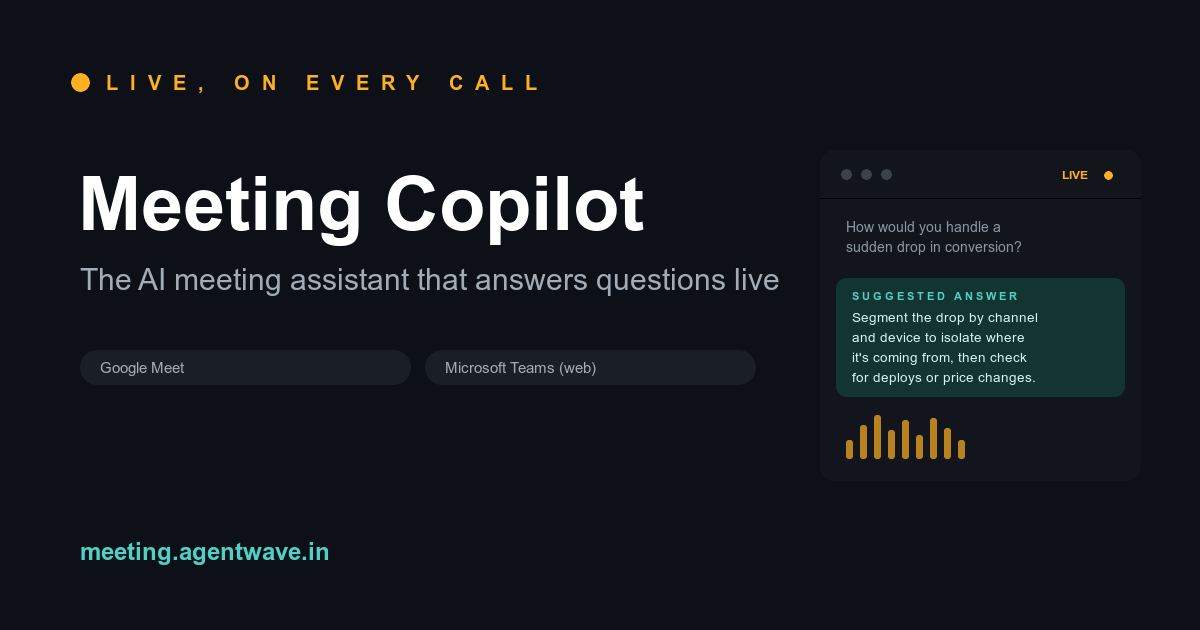
Meeting Copilot is an innovative AI meeting assistant designed to enhance productivity and information retrieval during live online calls. It seamlessly integrates with popular video conferencing platforms to provide real-time transcription and instant, context-aware answers to questions, making meetings more efficient and informed. This powerful SaaS solution is ideal for professionals, sales teams, customer support agents, and anyone who frequently participates in virtual meetings on platforms like Google Meet, Microsoft Teams (web), and Zoom (web client). It acts as a smart co-pilot, ensuring critical information is always at your fingertips. Key Features Live Transcription: Automatically transcribes your meeting conversations in real-time, providing a scrolling record of discussions. Instant AI Answers: Detects questions during the call and suggests relevant answers instantly, displayed directly on the meeting page. Seamless Integration: Works effortlessly with Google Meet, Microsoft Teams (web), and Zoom (web client) via a Chrome extension. Easy Activation: Simple "Start listening" button to activate the AI overlay during your calls. Flexible Access: Offers a free tier for initial exploration and paid passes for extended usage. Use Cases Meeting Copilot significantly improves various meeting scenarios. For sales professionals, it can instantly pull up product specifications, pricing details, or common objections, allowing them to deliver accurate information without interruption. Customer support teams can leverage it to quickly access knowledge base articles or troubleshooting steps, leading to faster resolution times and improved customer satisfaction. In internal team meetings, Meeting Copilot ensures that everyone has access to historical context, project updates, or company policies, reducing the need for manual note-taking and follow-up questions. This leads to more focused discussions and quicker decision-making, transforming how teams collaborate and retain information from their virtual interactions. Pricing Information Meeting Copilot operates on a freemium model, offering users 5 AI-assisted Q&A sessions for free without requiring a credit card. For more extensive use, paid access passes are available: the Starter Pass costs ₹799 and is valid for 30 days, providing 50 AI-assisted answers. Alternatively, a Day Pass is available for ₹3,500, also offering 50 AI-assisted answers, valid for 24 hours. This flexible pricing allows users to choose the plan that best fits their meeting frequency and needs. User Experience and Support The user experience for Meeting Copilot is designed for simplicity and efficiency. As a Chrome extension, it's easy to add and activate. Once installed, users simply open their meeting and click "Start listening" for the AI overlay to appear automatically. The interface is intuitive, displaying the live transcript and suggested answers next to it. While specific documentation or tutorial links aren't detailed, the presence of "Support" and "Contact" links suggests avenues for assistance. Technical Details Meeting Copilot functions as a browser extension, specifically for Google Chrome, integrating directly with the web-based interfaces of major video conferencing platforms. This approach allows it to listen to calls, transcribe them, and process questions in real-time within the user's browser environment, without requiring complex software installations. Pros and Cons Pros: Provides instant, context-aware answers during live calls. Enhances meeting efficiency and information recall. Works with leading video conferencing platforms (Google Meet, MS Teams, Zoom). Easy-to-use Chrome extension with automatic overlay. Offers a free tier to try out the service. Cons: Answer count is limited by passes, which might be restrictive for very frequent users. Pricing is in INR, which might require conversion for international users. No explicit mention of advanced customization or integration options beyond core platforms. Relies on web client versions of meeting platforms. Conclusion Meeting Copilot stands out as an invaluable AI meeting assistant that transforms virtual interactions by providing live transcription and intelligent, real-time answers. It's a powerful tool for anyone looking to boost productivity, ensure accuracy, and streamline information flow during online meetings. Explore Meeting Copilot today to experience a smarter way to meet and collaborate.
Canvas Zero is an innovative browser extension designed to empower students with undetectable tab and window switching capabilities during online Canvas quizzes. Its primary purpose is to allow discreet access to external resources, such as AI tools or notes, without triggering academic integrity flags or suspicious activity logs for instructors.Targeted at students utilizing the Canvas learning management system, Canvas Zero ensures complete invisibility while navigating away from the quiz tab. This tool is ideal for those who wish to consult supplementary materials or use split-screen setups during exams without detection.Key Features:Undetectable Tab & Window Switching: Seamlessly switch between tabs and windows without generating suspicious activity logs in Canvas.Canvas Tracking Blocker: Actively blocks Canvas's built-in tracking mechanisms to maintain student privacy during quizzes.Kiosk App Mimicry: Fakes the secure kiosk app environment, making tests appear locked down while allowing full browser functionality.Smarter Second Attempts: Automatically saves every quiz attempt, remembers top scores, and offers auto-fill functionality for answers when hovering over questions.100% Undetectable Guarantee: Proven to prevent detection by teachers, as demonstrated by comparative action logs.Use Cases:Canvas Zero is invaluable for students who need to reference external information during high-stakes Canvas quizzes. Whether it's quickly checking a definition, using a calculator, or consulting an AI assistant like ChatGPT, the extension ensures these actions go completely unnoticed by the instructor. This allows students to leverage a wider range of study aids and resources, enhancing their understanding and performance without fear of academic penalties.Furthermore, the extension supports flexible testing environments, enabling students to use split screens or multiple monitors without being flagged. For courses allowing multiple attempts, Canvas Zero's ability to save answers and auto-fill them significantly streamlines the process, helping students improve their scores efficiently and effectively.Pricing Information:Canvas Zero offers flexible paid subscription plans, including a Monthly option at $9.99 (originally $19.99), a 3-Months plan for $19.99 per quarter (originally $39.99), and a Lifetime access option for $99.99 (originally $199.99). All plans come with a Privacy Guarantee, 100% Undetectable status, the ability to save correct answers, prevention of tab-switching detection, and a 100% Always Working Guarantee. A limited-time 50% off offer is currently available.User Experience and Support:Customers consistently praise Canvas Zero for its seamless and straightforward user experience, highlighting its practical features and polished design. The extension is noted for its snappy performance and ease of use. The support team receives high marks for being outstanding and quick to respond, ensuring users have a reliable and well-supported tool for their academic needs.Technical Details:As a browser extension, Canvas Zero leverages standard web technologies to integrate directly with the Canvas learning management system. While specific programming languages or frameworks are not detailed, its functionality relies on client-side scripting to intercept and manipulate Canvas's tracking mechanisms, ensuring undetectable activity within the browser environment.Pros:Guaranteed 100% undetectable tab and window switching.Effectively blocks Canvas's anti-cheating tracking.Enhances performance on multiple-attempt quizzes with saved answers and auto-fill.Fakes kiosk mode, providing perceived security while offering freedom.Highly positive customer testimonials and responsive support.Cons:Raises ethical concerns regarding academic integrity.Requires continuous updates to maintain effectiveness against Canvas changes.No free trial or freemium option explicitly mentioned.Specific to the Canvas LMS, not a universal solution.Conclusion:Canvas Zero provides a robust and highly effective solution for students seeking to maintain privacy and discretion while taking online quizzes on Canvas. Its advanced anti-detection features and user-friendly design make it a powerful tool for navigating academic assessments. Explore Canvas Zero today to experience undetectable browsing and potentially boost your quiz results.
Quiz Shot AI: Your Ultimate Homework & Math Problem Solver Quiz Shot AI is an innovative browser extension designed to instantly solve homework and math problems by simply taking a screenshot. Leveraging advanced artificial intelligence, it provides either quick answers or detailed, step-by-step solutions across a wide range of subjects, making it an indispensable tool for students. This powerful AI tutor is perfect for high school and college students struggling with complex assignments, looking to save time, or seeking to improve their understanding and grades in various academic disciplines. Key Features Screenshot & Solve: Capture any problem on your screen and get instant solutions. Multi-Subject Support: Beyond math, it tackles physics, chemistry, biology, and other homework subjects. Detailed Step-by-Step Solutions: Choose between quick answers or comprehensive explanations. High Accuracy: Boasts over 95% accuracy for reliable results. Multi-Language & LaTeX Support: Solves problems in over 25 languages and formats mathematical formulas perfectly. Quick Shortcuts: Streamlined workflow with easy-to-use screenshot shortcuts. Use Cases Quiz Shot AI significantly eases the burden of academic work by providing immediate assistance. Students can utilize it to quickly verify answers for practice problems, understand difficult concepts through detailed explanations, or get unstuck when facing challenging questions. It's particularly useful for those late-night study sessions when traditional help isn't available, or for college students needing a reliable tool during online quizzes and exams. Pricing Information Quiz Shot AI operates on a freemium model, offering 15 free credits upon sign-up. For continued use, it provides two main subscription tiers: Monthly at $9.99/month (originally $19.99) and Yearly at $59.99/year (originally $119.99). Both plans include 600 credits per month, premium advanced AI for complex problems, and the ability to handle multiple problems simultaneously. User Experience and Support The user experience with Quiz Shot AI is designed for simplicity and speed. Users can activate the solver with a single click or a quick shortcut, screenshot their problem, and receive answers in seconds. The interface is intuitive, and explanations are clear. Users consistently praise the developer's responsiveness to requests and questions, ensuring a well-supported tool. Technical Details While specific programming languages or frameworks are not explicitly mentioned, Quiz Shot AI is a browser extension that leverages advanced AI capabilities for problem-solving, indicating a robust backend infrastructure for natural language processing and computational tasks. Pros and Cons Pros: Fast, accurate, multi-subject support, detailed explanations, user-friendly, responsive developer, free credits. Cons: Requires internet, potential for misuse, credit-based system, specific tech stack not disclosed. Conclusion Quiz Shot AI stands out as a highly effective and reliable AI-powered homework and math problem solver, significantly enhancing the learning experience for students. Its speed, accuracy, and multi-subject support make it an invaluable academic companion. Explore Quiz Shot AI today to transform how you tackle your homework and boost your grades!